

AI Image Retouching: Precision Texture and Object Healing

What is Image Retouch?
Direct Answer: AI Image Retouching is a localized restoration technology that identifies and repairs visual imperfections—including skin blemishes, surface dust, wrinkles, and distracting background objects—without degrading the underlying texture, natural light behavior, or original resolution of the source asset.
The "Plastic Look" Problem: Why Natural Texture Preservation Matters
Standard visual editors use simplistic blur algorithms to smooth out surfaces. While this hides blemishes, it also destroys the minute details that make an image look real and professional. To achieve production-grade quality, the retouching workflow must transition from destructive pixel erasure to semantic, texture-aware reconstruction.
By using high-fidelity neural processing, our engine analyzes surrounding pixels to map the material's physical characteristics—whether it is human skin, metal, glass, or fabric. When a spot or object is removed, the system heals the area by generating matching, high-frequency texture structures natively, rather than dropping a flat color patch over the frame.
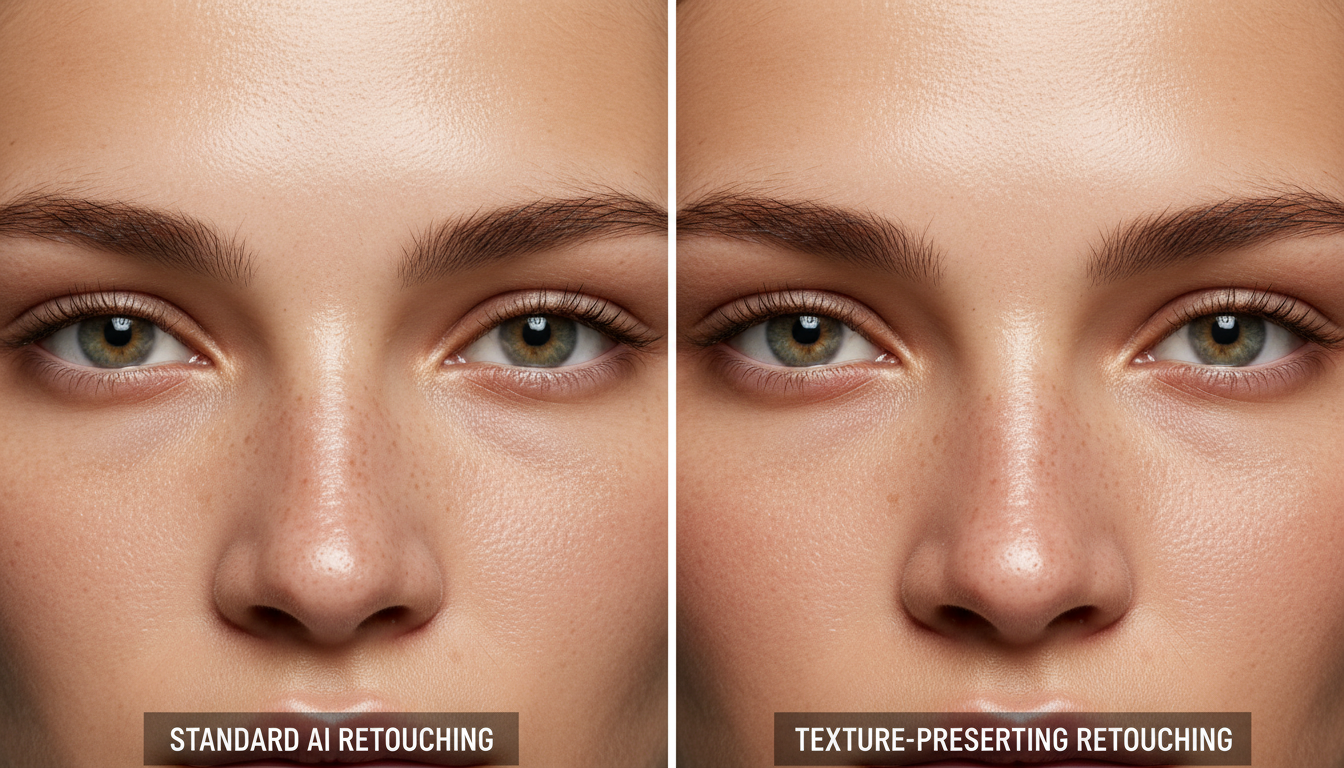
Core Use Cases of Image Retouch
Restoration-grade retouching maps directly to three primary production workflows:
- Enhancing Portrait Photography: Smooth skin surfaces, clear temporary blemishes, and soften distracting facial shadows while maintaining natural skin micro-texture.remov
- Cleaning Up Product Photos: Instantly erase dust, lint, packaging scuffs, or unwanted background reflections to deliver pristine, commercial-ready product listings.
- Preparing Professional Headshots: Achieve studio-grade polishes for corporate portfolios by whitening teeth, enhancing eye reflections, and optimizing lighting balance.
Computational Bottlenecks of Advanced Retouching
While highly advanced, neural-guided retouching involves specific technical trade-offs:
- High Processing Latency on Group Assets: Reconstructing distinct skin grains and evaluating multi-subject geometry (such as large group photos) requires significantly more GPU calculation time than single-subject portraits.eomp
- The Boundary-Blending Challenge: Erasing objects near highly complex geometric patterns or fine edges (such as a wire fence or loose hair strands) can occasionally cause minor texture alignment anomalies.
Why Choose LinkfilmAI Image Retouch?
Standard platforms treat retouching as a rigid, automated "beautify" filter with zero manual input. LinkFlimAI places granular, non-destructive control back into your hands:
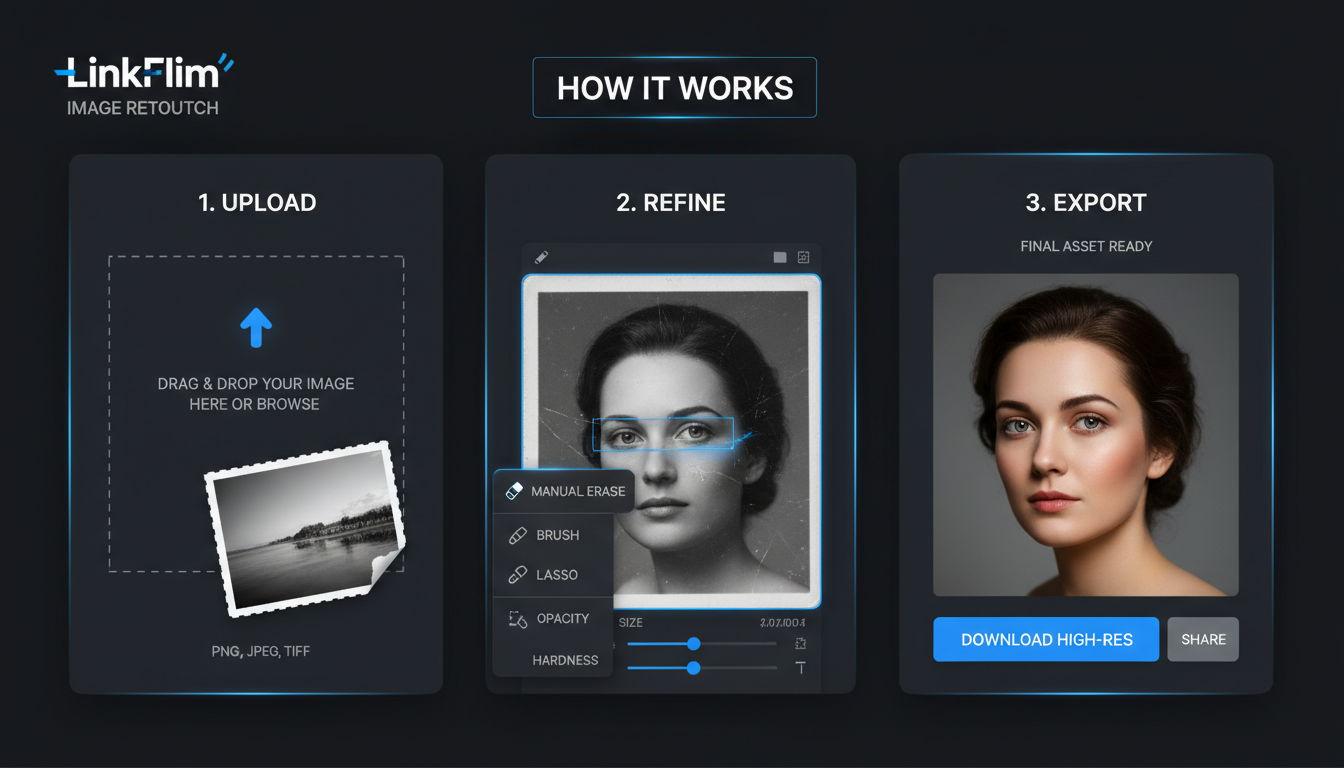
- Granular Object and Background Erasing: Take complete control over your compositions. Our interactive canvas lets you manually brush or lasso the exact background objects you want to delete, allowing the healing engine to reconstruct the space seamlessly.
- Adjustable Skin Smoothing and Blemish Sliders: Dial in the exact strength of your skin refinement. Adjust the processing intensity manually to find the perfect balance between flawless skin correction and organic, natural texture retention.
- Dedicated Teeth and Eye Enhancers: Apply hyper-targeted local enhancements to portraits, brightening eyes and balancing teeth tones without warping the global color scheme of the photo.
- Batch Retouching Capabilities: Maintain uniform aesthetic parameters across entire visual folders, applying identical texture-healing parameters to multiple product or team photos simultaneously to streamline marketing campaigns.

.png)


